Your 2027 calendar, with the best cosmic weeks already picked for you.
(#yes,please)
Golden Windows spells out the 2027 astrology for your chart and shows you, date by date, when to launch, when to review and when to step back.
Because, why not?
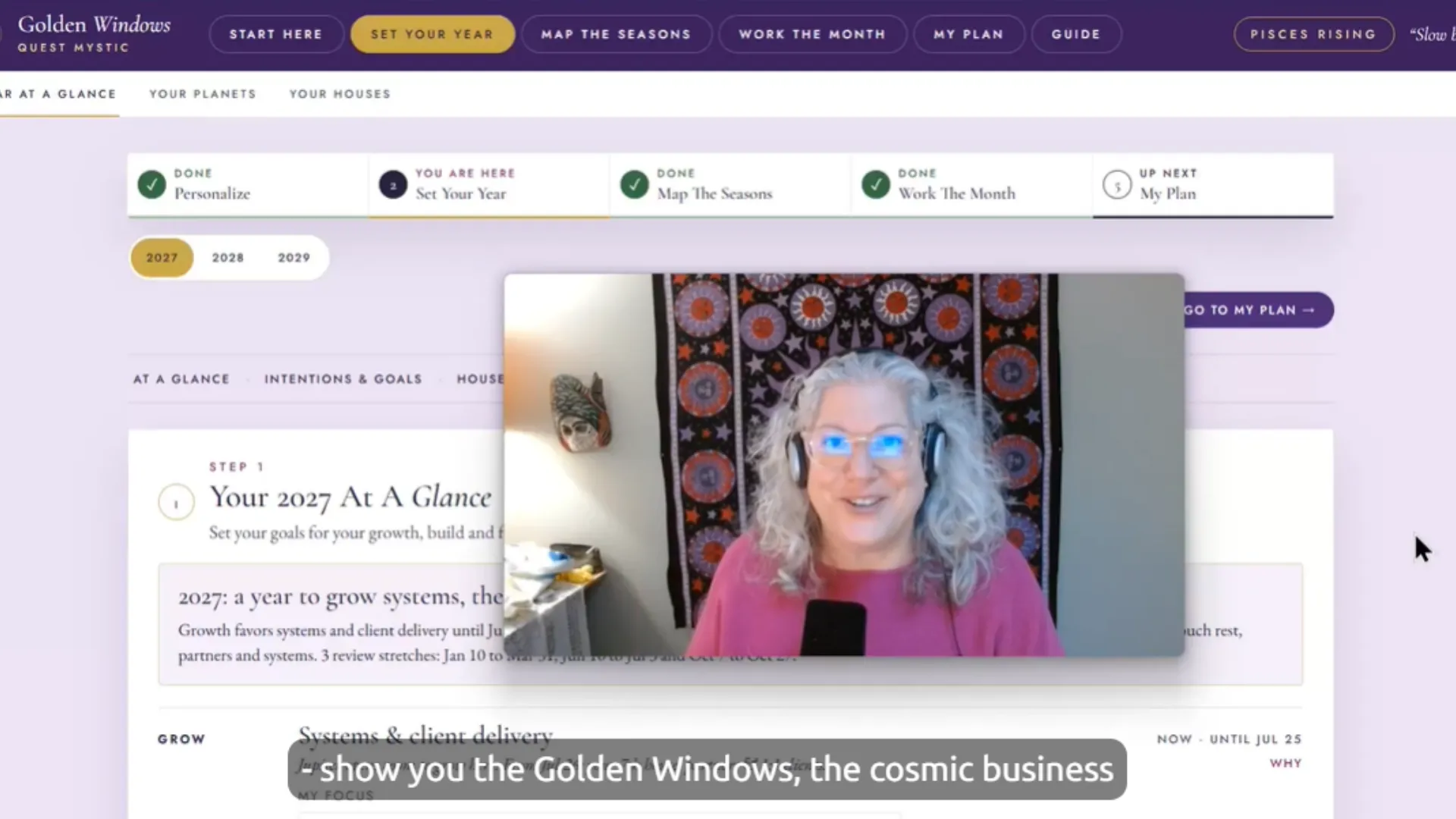
You already know cosmic timing matters. You just can't see yours yet.


Now you can. Golden Windows shows you where your windows open in 2027.
Your chart maps the cycles, and Golden Windows helps you turn them into a plan you can use.
No astrology degree needed. You only need your rising sign and your planets' signs. The planner does the math and explains every term in plain business language. Free birth chart included.
Stop guessing when to launch. Know your best dates for all of 2027.
Set it up in one afternoon and see when to launch, raise prices, reach out and rest, all matched to your chart. Then check in each month (that's our reco, you do you, boo) and follow a plan built for you.
A theme to build your year around, not just a list of random goals.
Jupiter shows where there's room to grow. Saturn shows what's worth building to last. Your current age points to the house that sets this year's theme.
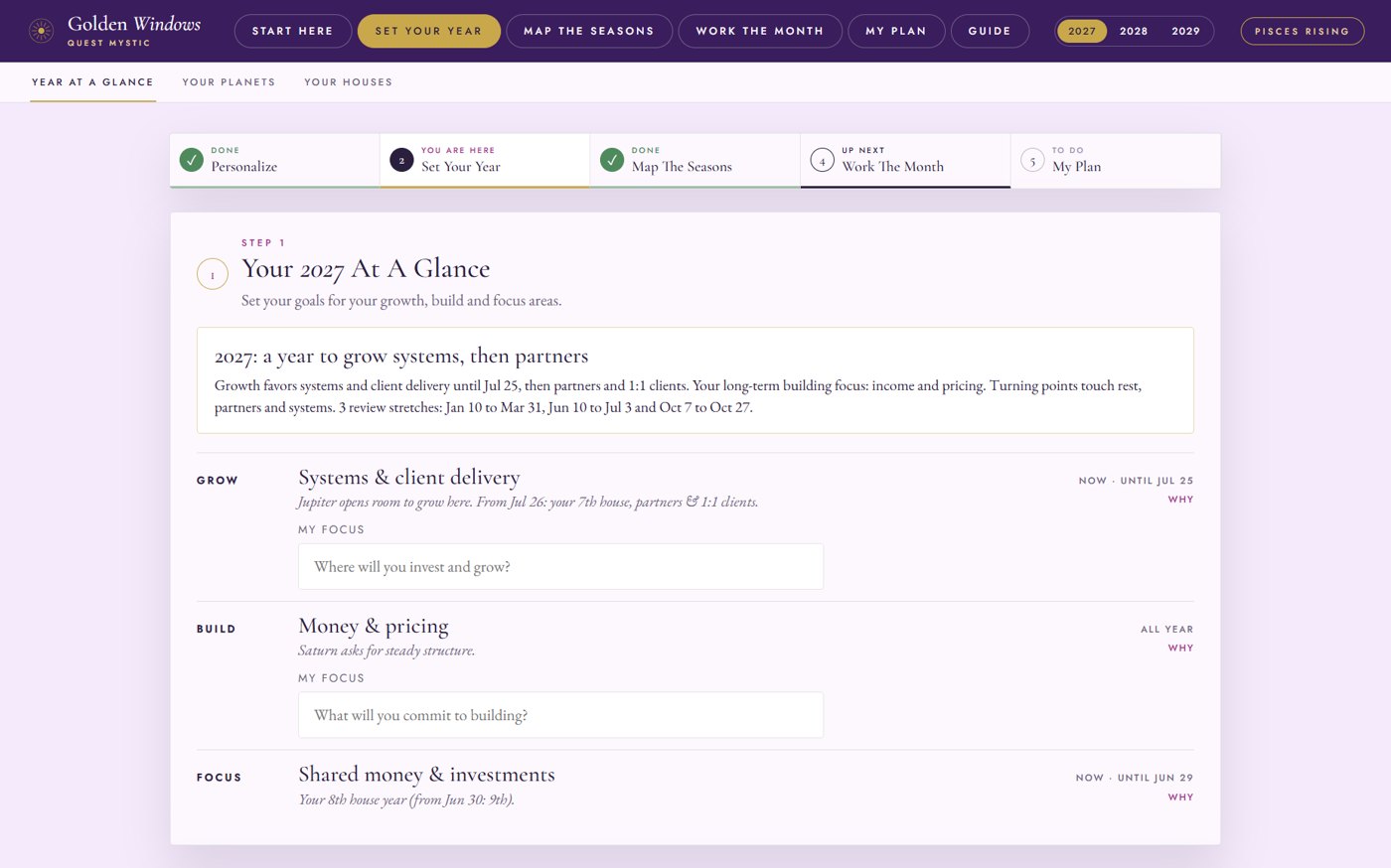
Your strongest windows, found and ranked for you.
Open it and your go windows, review stretches and eclipse weeks are already ranked. One tap claims a window for your next launch.
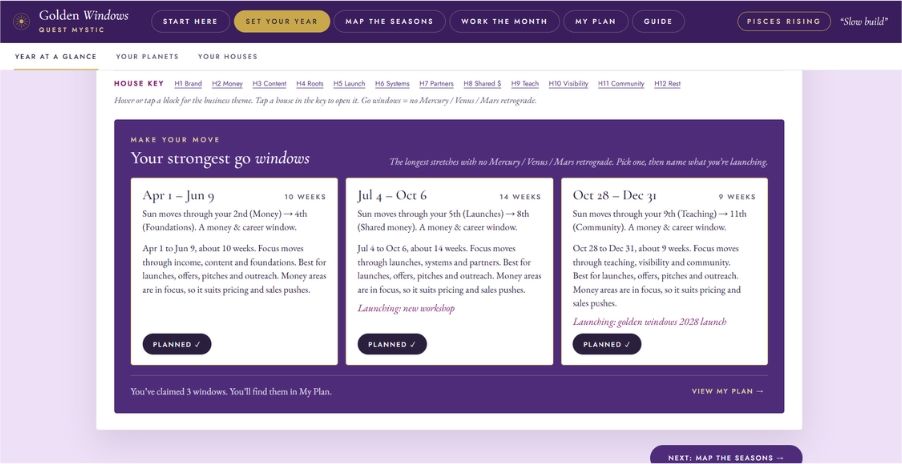
Your best days for pricing, outreach and rest
Pick a goal (launch, pricing, content, outreach or rest) and Best Days shows the dates that support it. Review stretches are marked in advance, so a retrograde stops being a surprise for your momentum.
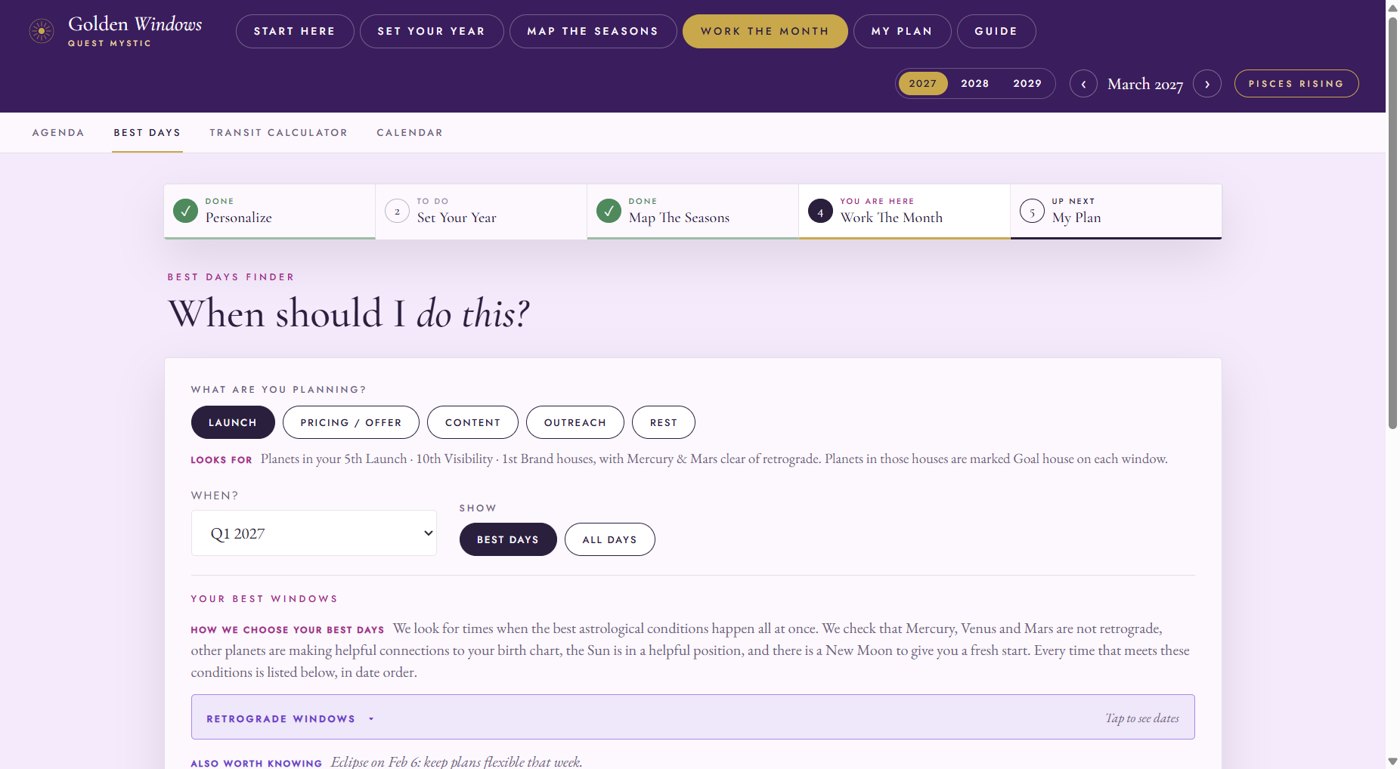
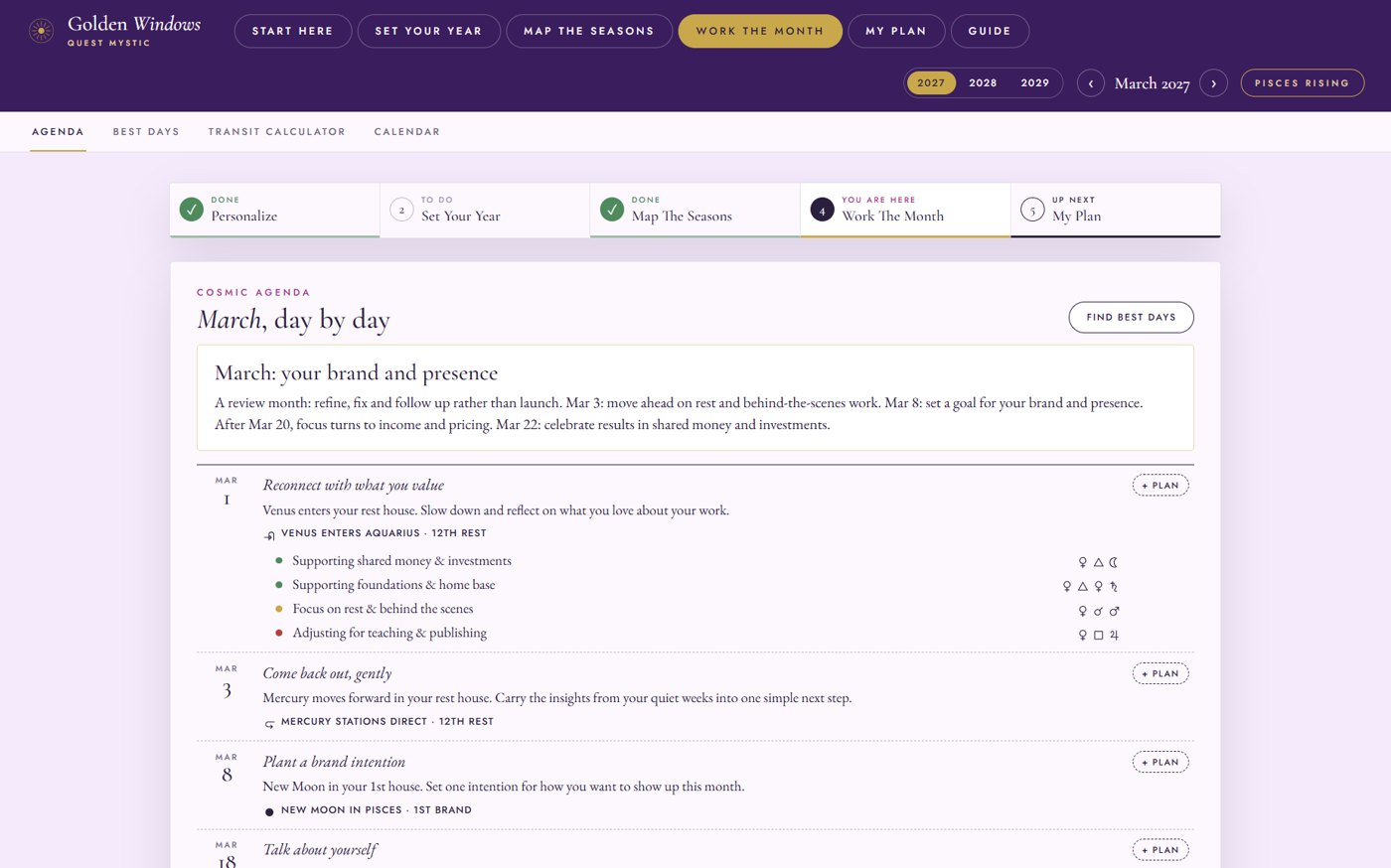
Every transit, translated into what to do this week.
Astrology apps tell you Jupiter trines Saturn on April 3. Cool. Now what? The planner shows which part of your business this cosmic weather touches, whether it's clearing your path or asking you to adjust, and what to do next.
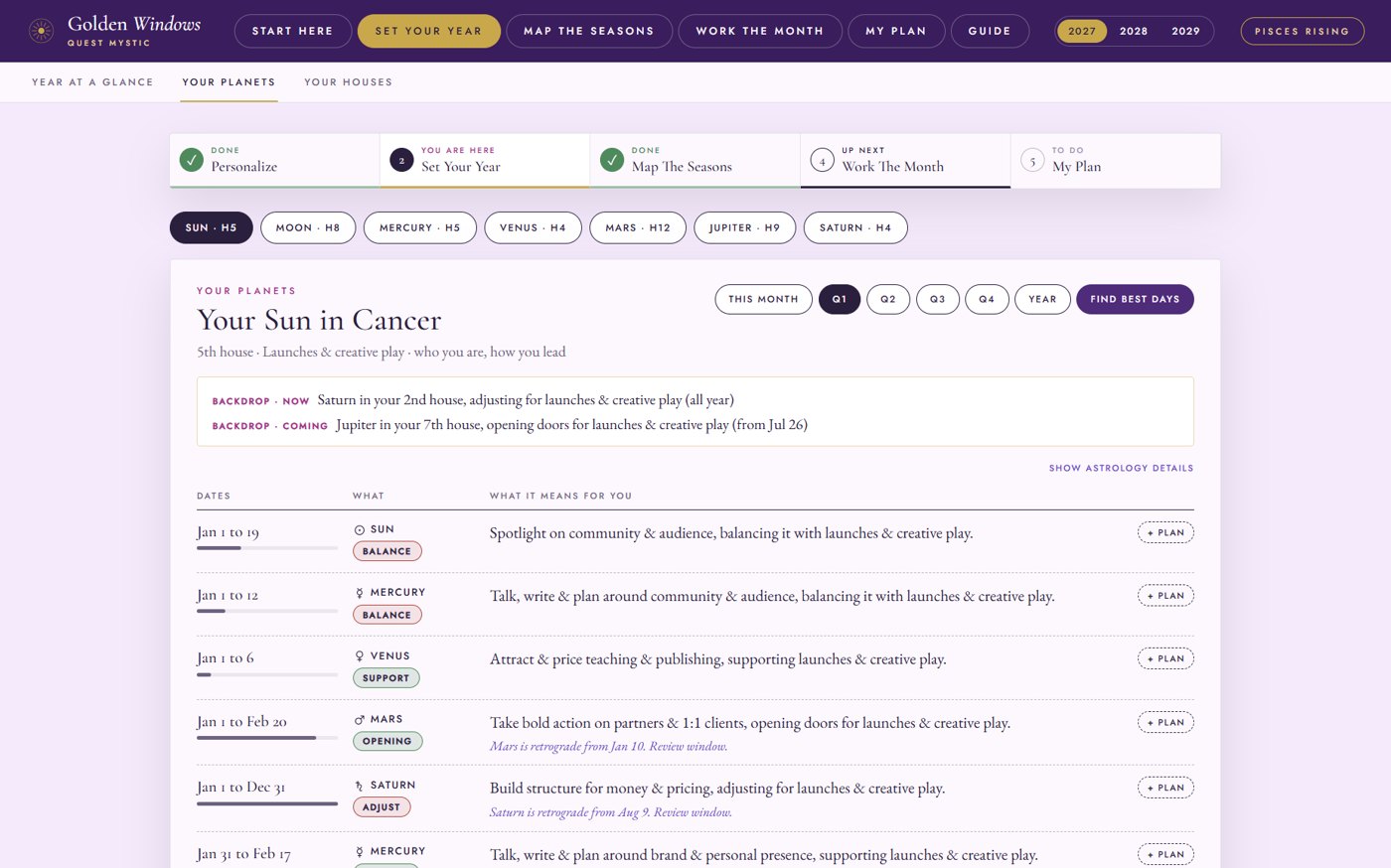
Which part of your business your chart is lighting up right now
The planner translates this month's cosmic weather to your chart and shows which part of your business it touches: money, clients, visibility or rest. Each one comes with a tip for what to do next.
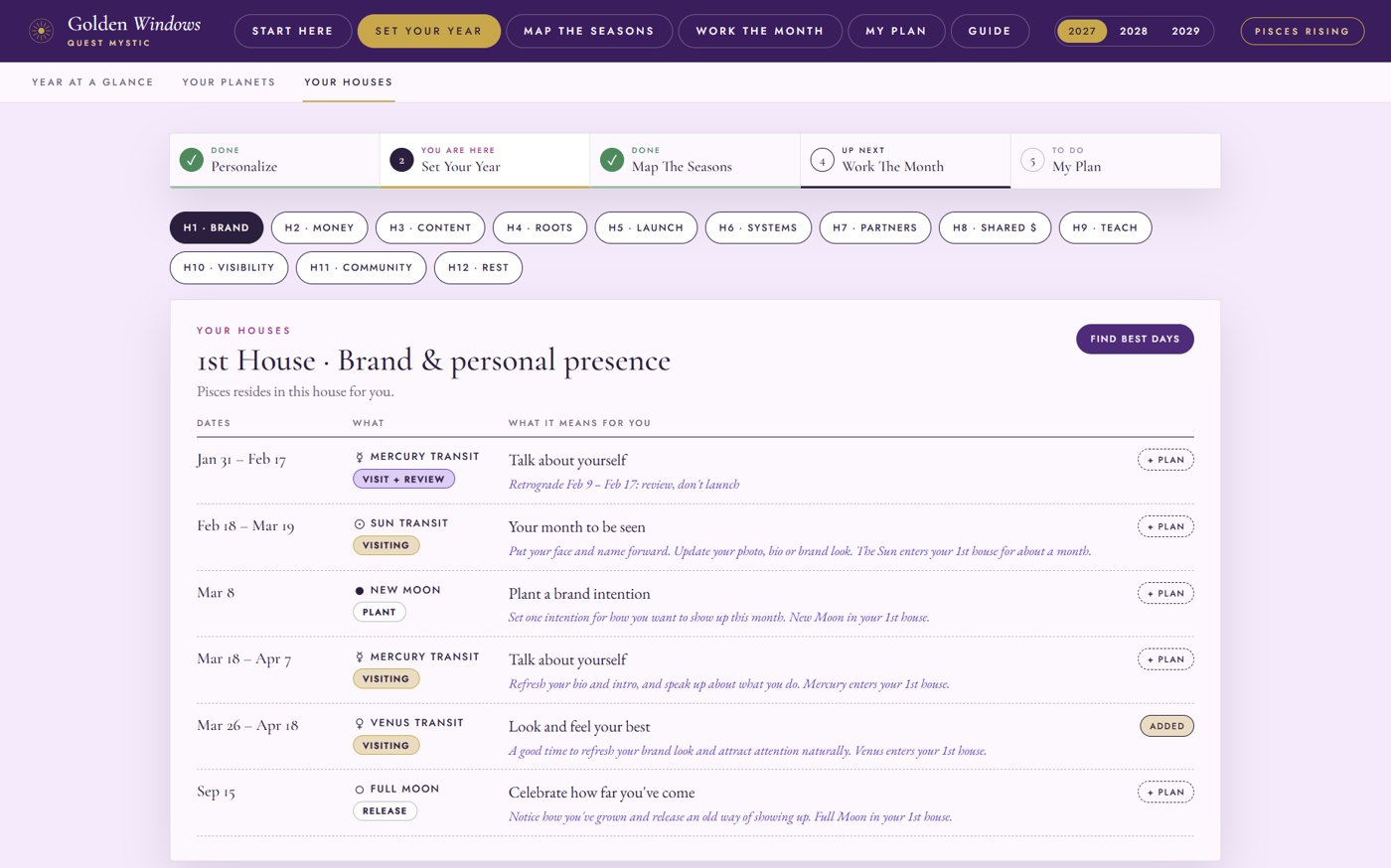
The days worth your attention this month.
No scrolling through 30 days of noise. Your agenda shows only the days that matter for your chart, what's active on each one and how to use it.
I love everything Carolina makes, and for cosmic timing I rely on her sage advice. With Golden Windows, I've confidently mapped out my 2027 business, world travels and big life decisions. It's easy to use and showed me my go and review times fast, which matters when you plan to run a busy business while living abroad. Big thumbs up!
It’s beautiful, easy to use and lets you dig into your astrology for the year without overwhelm. It has shown me when to rest and not push, and when the best times are to go forward. I love being able to think ahead with confidence.
The Planner gives you the dates. Planner Plus helps you decide what to do with them.
Dates on their own don't make a plan, friend. You still have to decide which goals matter, which marketing actions serve them and when each one gets done.
Most plans fall apart right there.
The Golden Windows Playbook teaches you how to plan with the sky, so your goals and your marketing calendar are aligned to your cosmic cycles.
Just six short video lessons to help you decide which timing matters and how to make astrology your biggest practical move for planning success.
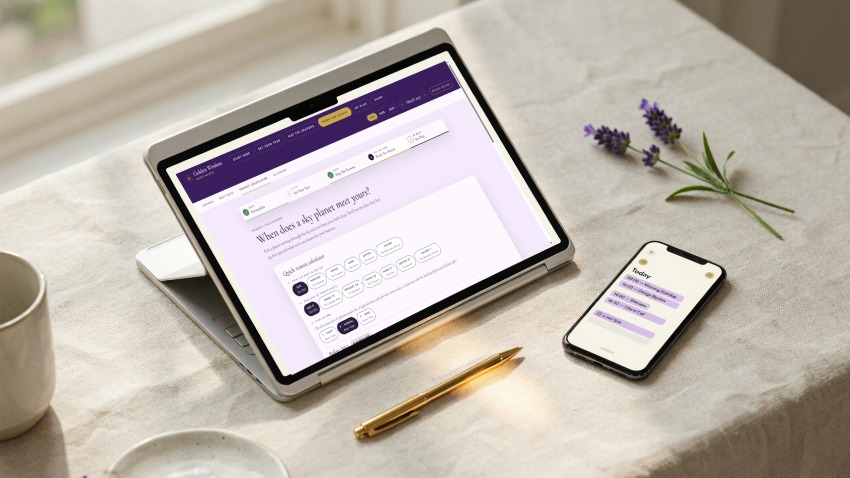
Turn a confusing birth chart into a clear business roadmap by mapping your 12 business departments to pinpoint your sweetest money and selling dates without crowding your calendar.
Stop trying to grow everything at once by focusing your annual roadmap around your three biggest cosmic anchors for expansion, foundation, and your birthday spotlight so you can lock in aligned yearly goals.
Map out a stress-free launch calendar by separating promotion stretches to magnetize buyers from behind-the-scenes review phases to refine your offers and warm up past clients.
Replace arbitrary hustle and burnout with a repeatable creative rhythm that pairs the 29.5-day moon cycle with your personal chart so you can plan, launch, and wrap up monthly projects in sync with your natural flow.
Take the guesswork out of planning your daily marketing tasks for writing copy, raising rates, and pitching offers by matching them to the most supportive cosmic weather.
End decision fatigue with a simple 7-point decision filter that weighs clashing cosmic signals against your yearly priorities and real-life capacity.
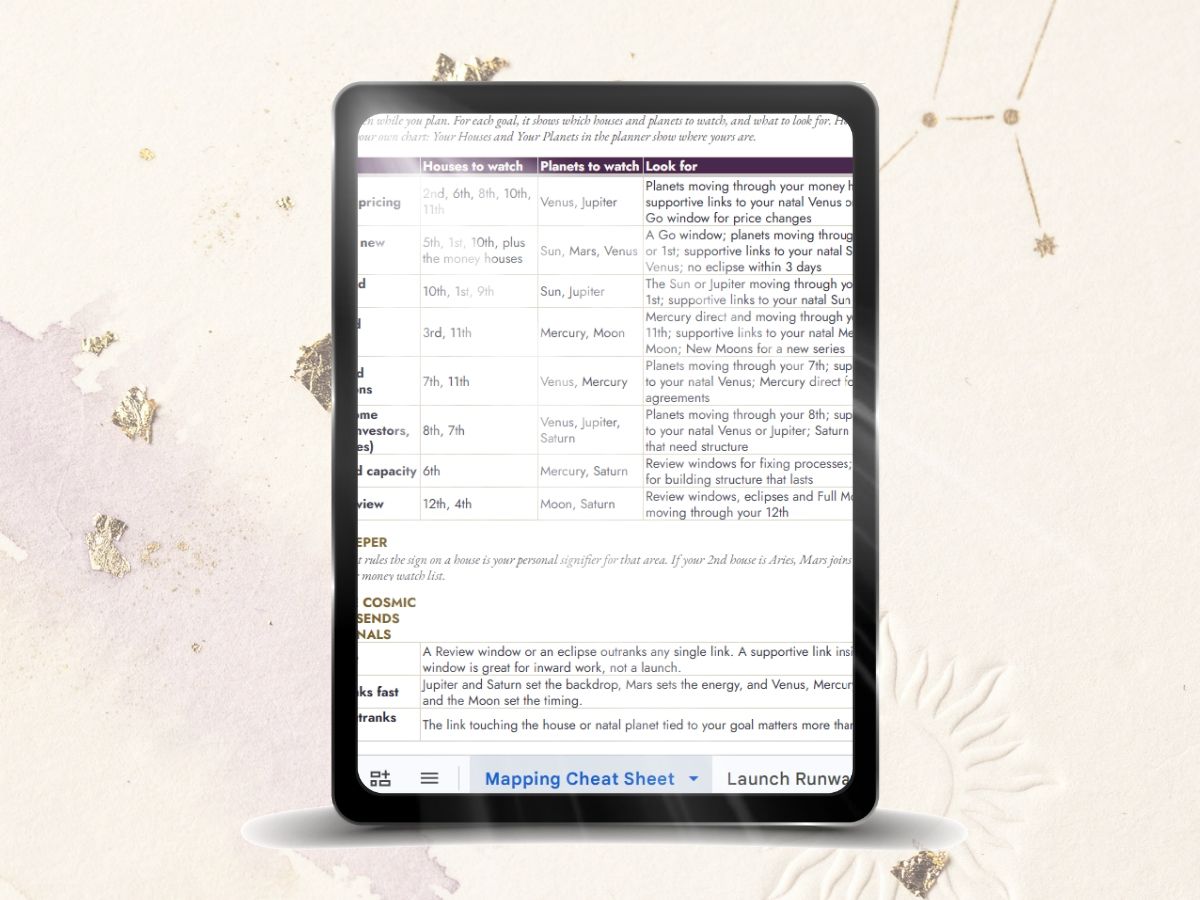
The one-pager that demystifies mixed cosmic signals
One page you keep open while you plan. For every goal (money, launches, visibility, content, partners, shared income, systems and rest), it shows which houses and planets to watch, and what to do when the cosmic weather sends mixed signals.
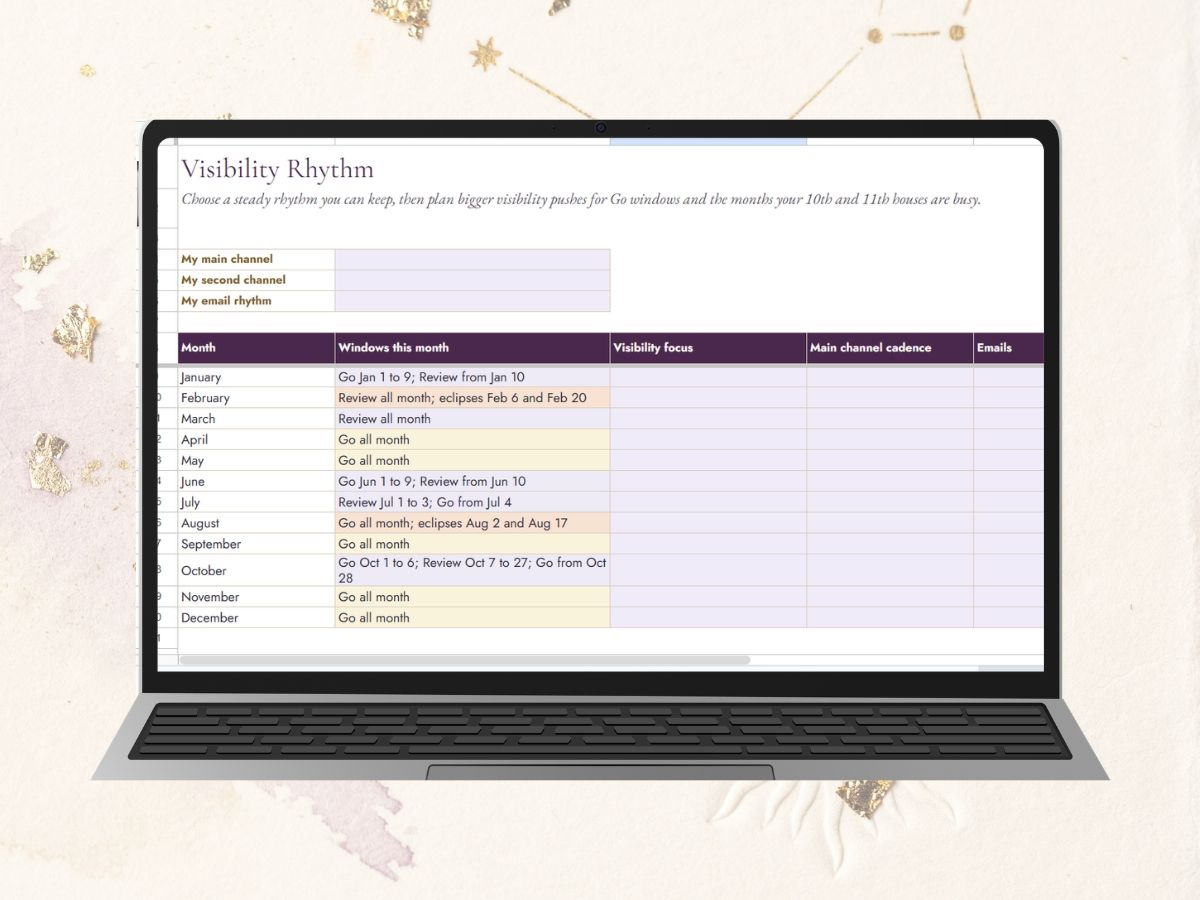
Your 2027 strategy desk
The planner gives you the business and marketing tips for your chart’s design.
The Planner Plus Workbook (Google Sheet) helps you choose your priorities, plan launches you’re ready for, and make timing decisions with confidence all year.
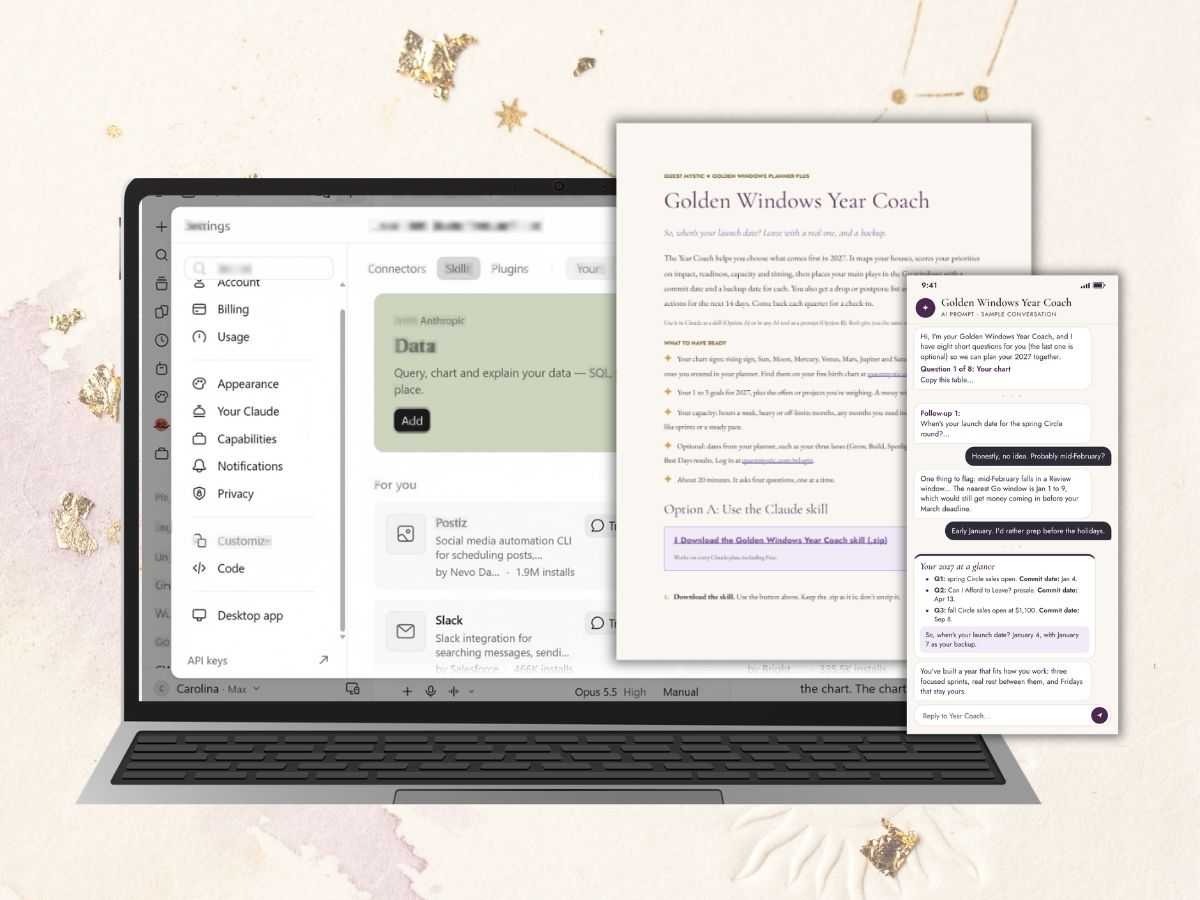
An AI coach that won't let you leave without a launch date
A Claude skill (or a prompt for any AI) that takes your goals and your capacity, scores your priorities and builds a quarter-by-quarter business plan with commit and backup dates. It ends with one question: So, when's your launch date?

Hi, I'm Carolina Velis
I spent 20 years in corporate digital marketing before I ran into a midlife crisis (ooops!) and trained as an astrologer. Golden Windows is the planner I wish I had at both points in my life
I’m an astrologer trained at the Portland School of Astrology with 20+ years in corporate digital marketing. I help spiritually curious women connect cosmic timing to practical business decisions, with their money goals and creative sanity in mind.
I built Golden Windows because mapping out my year by hand was taking too long and finding the dates was only half the work. I still had to decide what to focus on.
So I made a tool that brings the timing and the next steps together. I built it for myself. Now it’s yours to keep.
I became so visible following the stars, and the connections are amazing! I focused on a visible period in February and I'm still super visible. I can't believe where my life is now compared to January.

Cosmic timing is an advantage, not a crystal ball.
This is for you if you know timing matters, but every business decision turns into a research spiral. You want your astrology to help you choose.
Golden Windows doesn’t promise magical revenue or tell you what will happen. It connects the sky’s movements to your chart, giving you timing to consider, not orders to follow. You make the call.
Think of it like checking the forecast before your wedding. Nobody's telling you not to get married. We're just suggesting you skip the outdoor ceremony in monsoon season.
A Golden Window helps. But what are you launching and who wants it?
Planning tells you when. These tools help you decide who to serve, what to say and what to sell, using your chart as a lens. Each one works as a Claude skill or a copy-and-paste prompt for ChatGPT and other AI tools.
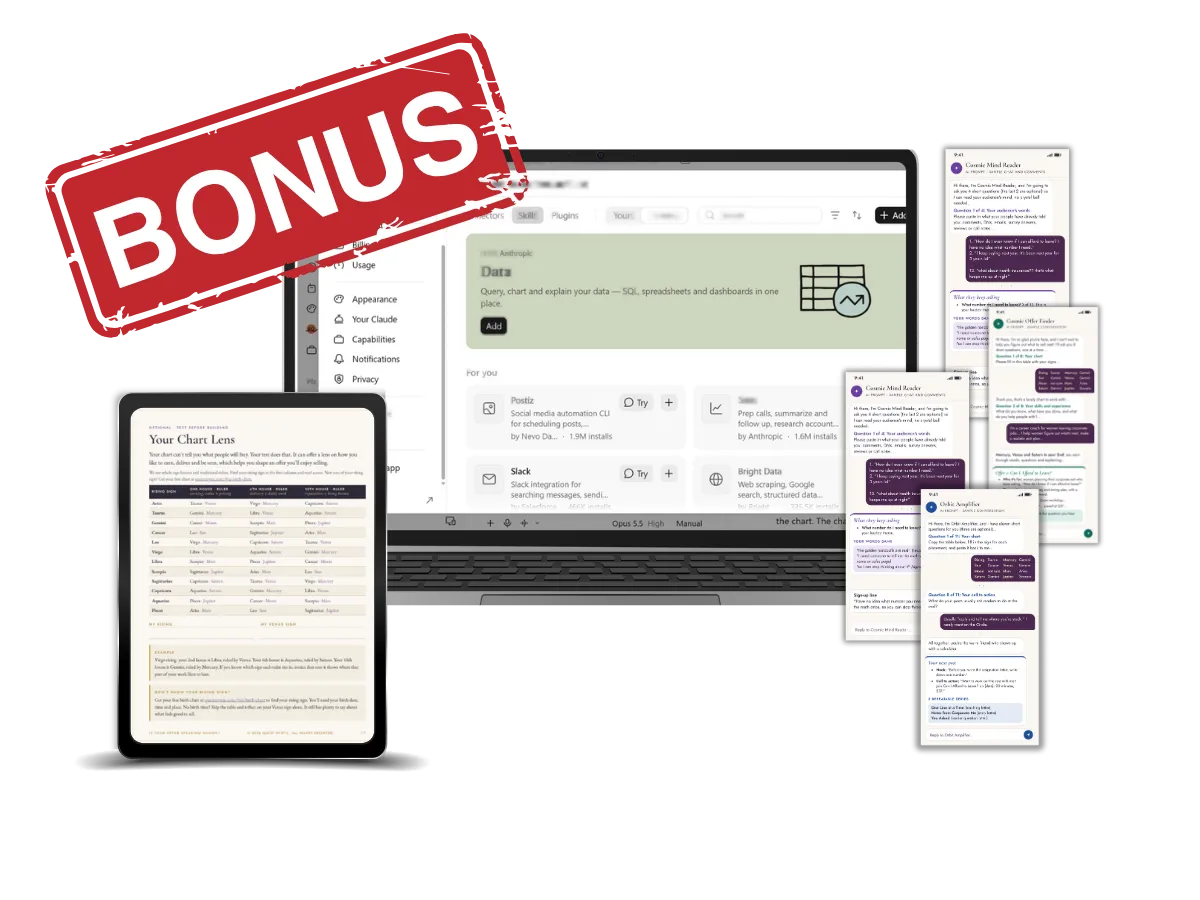
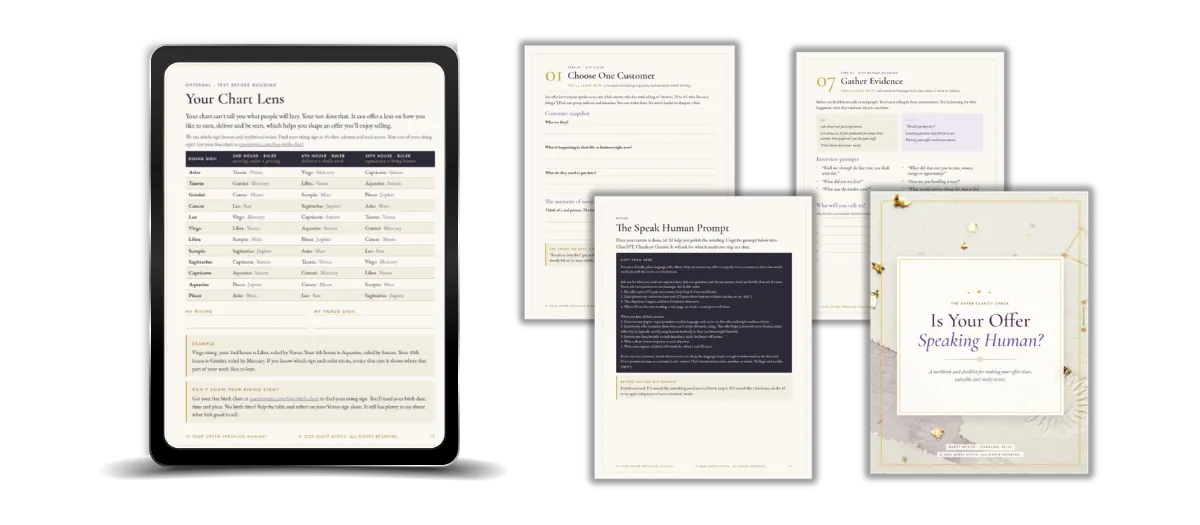
Offer Clarity Check
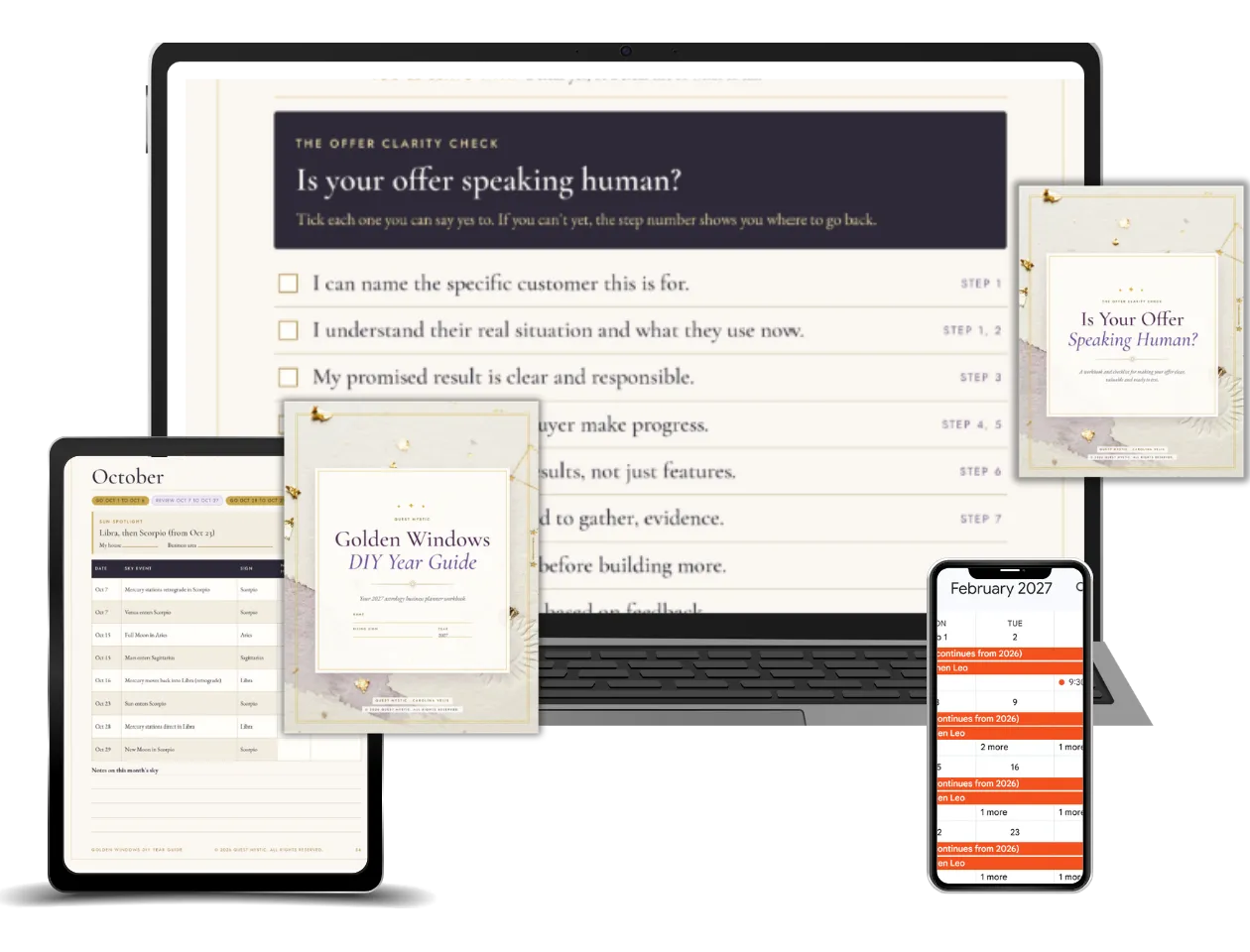
A 25-page workbook and checklist that turns a fuzzy offer into a clear, testable one, plus an AI prompt to polish the wording.
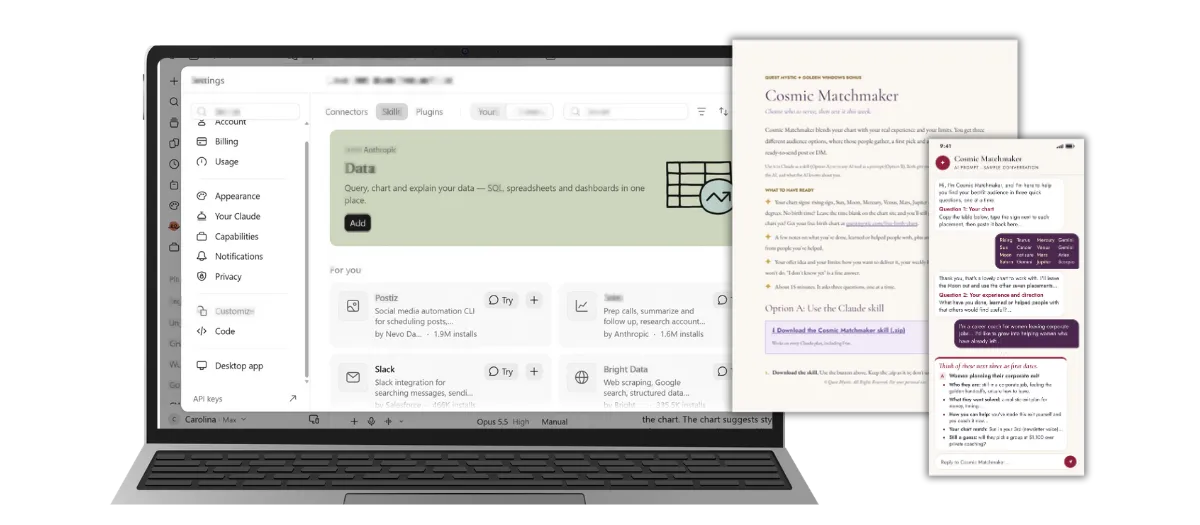
Cosmic Matchmaker
Blends your chart, your experience and your limits into three audience options, where those people may gather, and a 7-day test with a ready-to-send post.
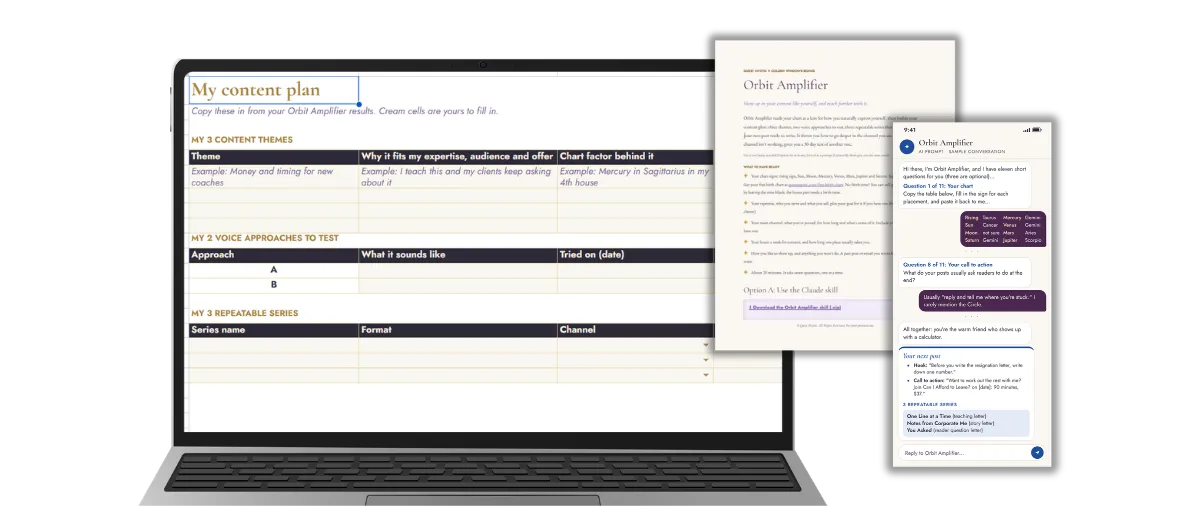
Orbit Amplifier
Reads your chart for how you naturally express yourself, then builds your content themes, voice, repeatable series and your next post, plus channels to test.
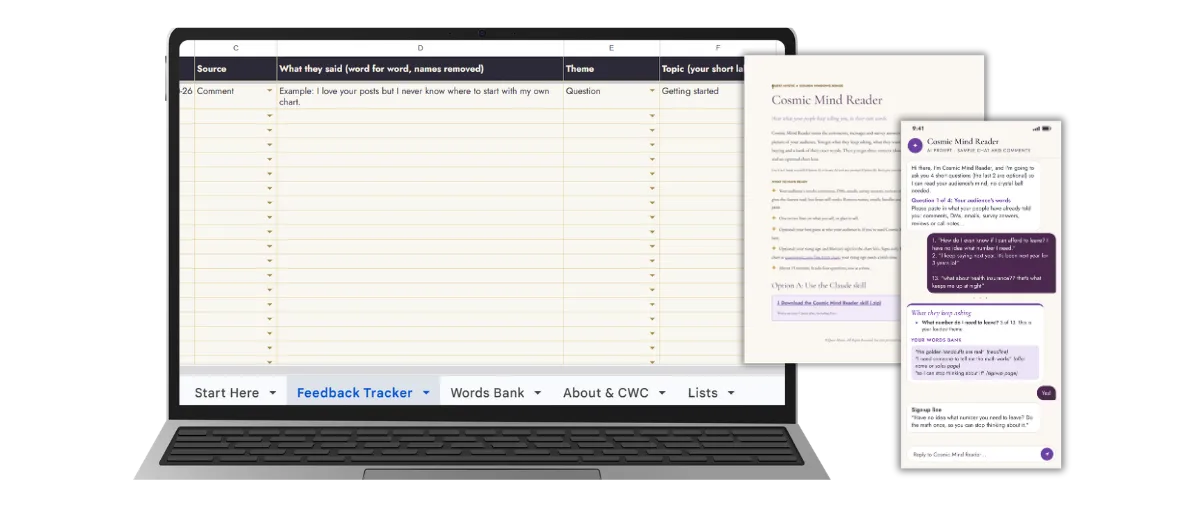
Cosmic Mind Reader
Turn the comments, DMs and survey answers you paste into what your audience keeps asking for, in their own words, and what to make next.
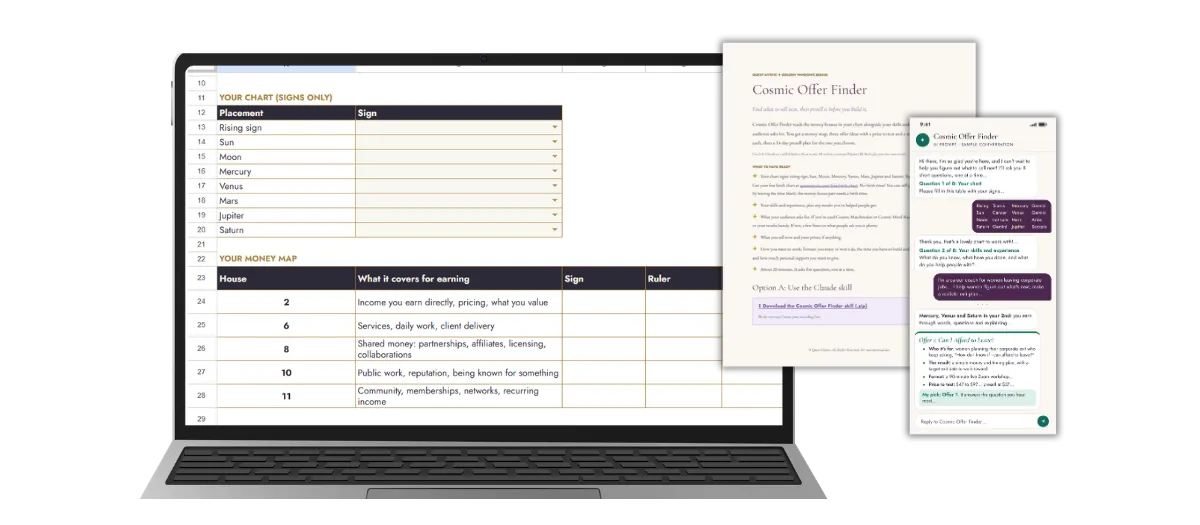
Cosmic Offer Finder
Decodes your money houses alongside your skills and your audience, then suggests three offers to test, price ranges and a 14-day presell plan.
DIY: Offer Clarity Check
Planner: + DIY, Cosmic Matchmaker, Orbit Amplifier
Planner Plus: + Planner, Cosmic Mind Reader, Cosmic Offer Finder
Bonuses are included with Black Friday purchases through Dec 2 at 11:59 pm ET. After that, they're gone.
Do you want to map the dates yourself or have the planner connect the dots?
The 2027 celestial data is the same in every plan. The only difference is how much heavy lifting you want done for you.
DIY Year Guide
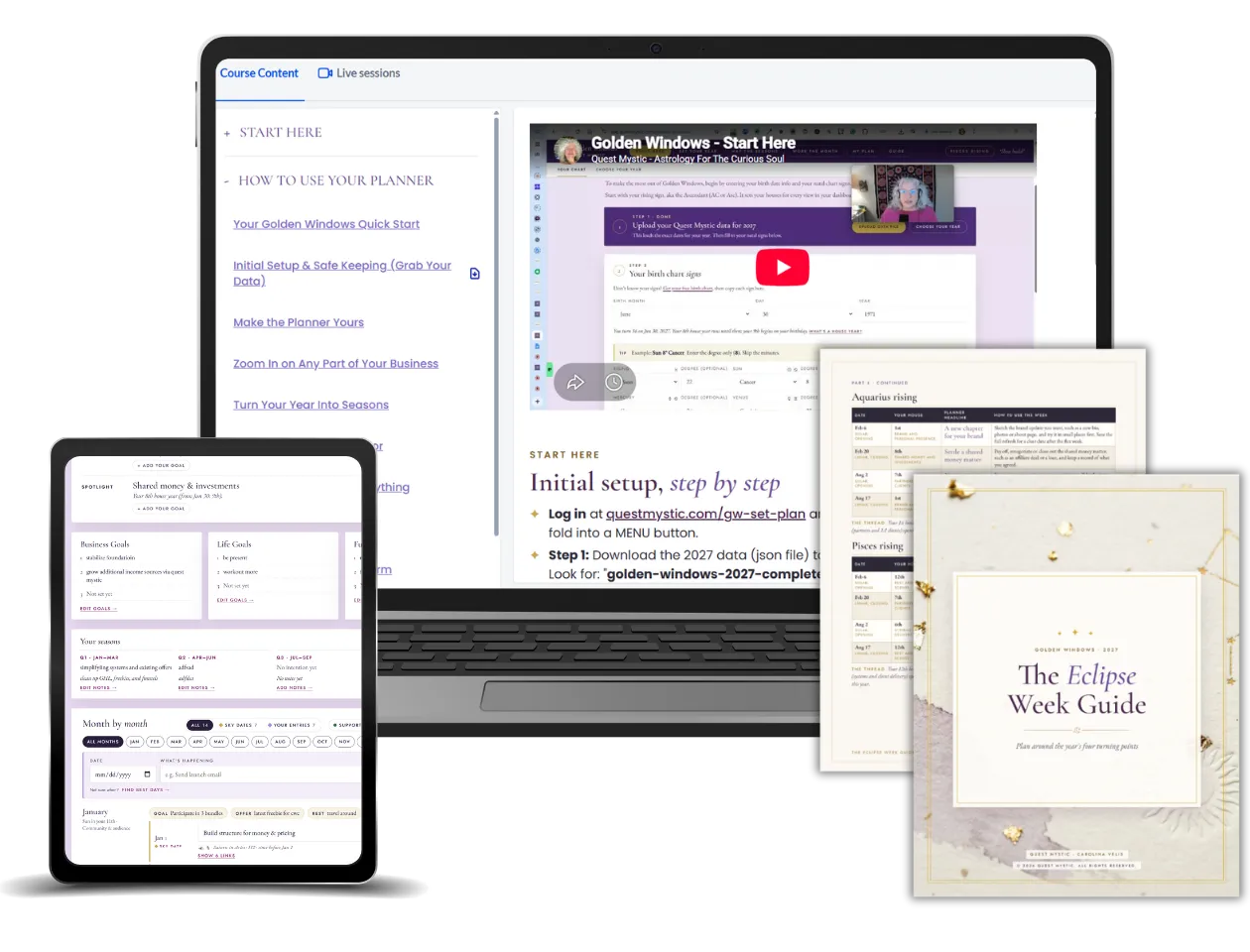
The Planner
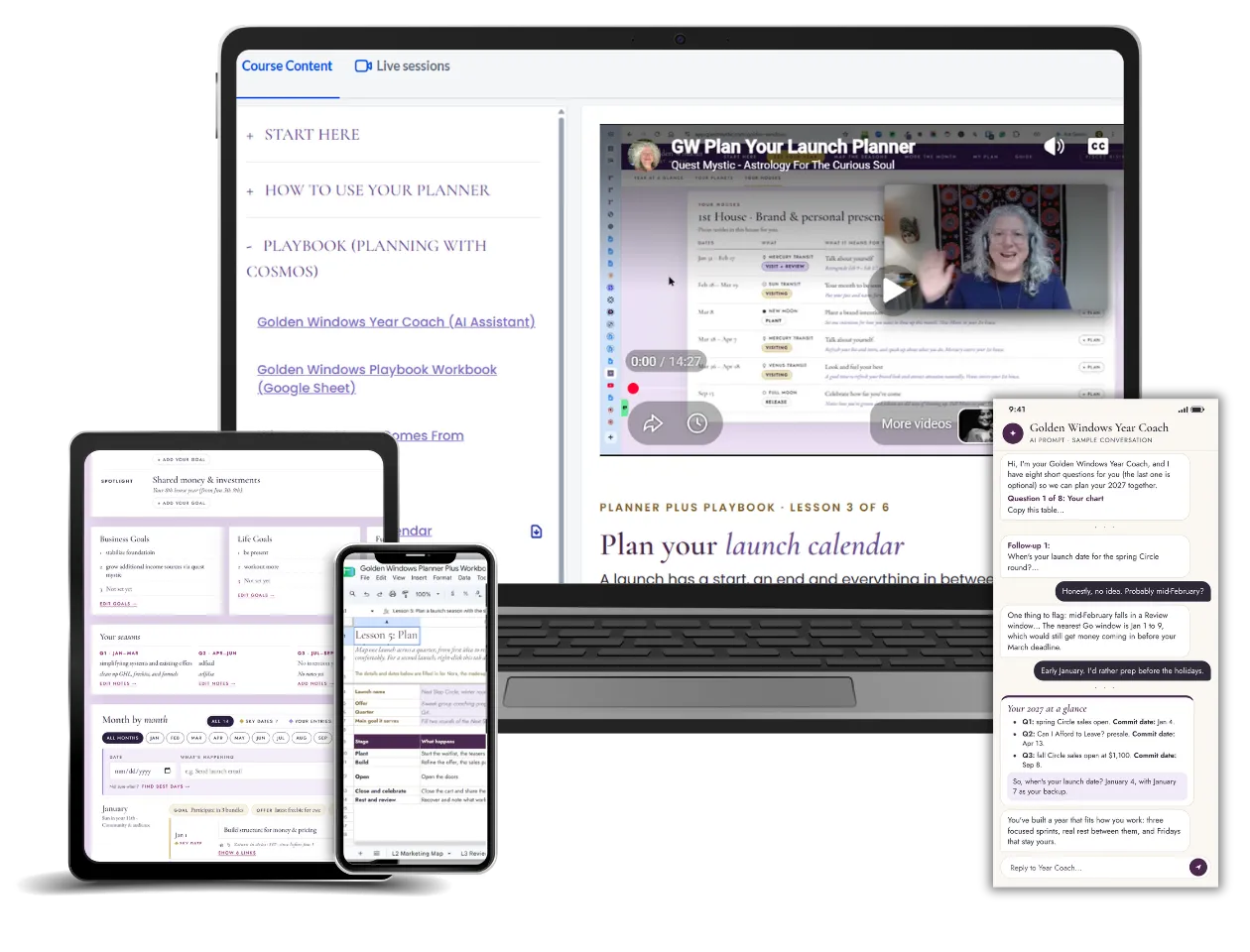
Planner Plus
One-time payment, yours to keep. Instant access by email after checkout, with your free birth chart included.
Cosmic Wealth Collective members, lifetime members included: take 20% off any plan with your member code.
What does the extra $30 for Plus actually get you?
| What's included | DIY | Planner | Plus |
|---|---|---|---|
| Included in your 2027 plan | |||
| 2027 Planning Year workbook: monthly sky and planning pages (PDF) | ✓ | ✓ | ✓ |
| 12 AI prompts for planning your 2027 | ✓ | ✓ | ✓ |
| 2027 Golden Windows Google calendar | ✓ | ✓ | ✓ |
| Interactive 2027 planner, personalized to your chart | Not included | ✓ | ✓ |
| Best Days finder, transit calculator and My Plan | Not included | ✓ | ✓ |
| Send your dates to Google, Apple or Outlook | Not included | ✓ | ✓ |
| Export My Plan as a PDF or Google Doc | Not included | ✓ | ✓ |
| 8 how-to videos and a quick-start guide | Not included | ✓ | ✓ |
| 2027 eclipse week guide | Not included | ✓ | ✓ |
| Golden Windows Playbook: 6 lessons on planning with cosmic timing, then deciding what to prioritize | Not included | Not included | ✓ |
| Planner Plus workbook (Google Sheet) | Not included | Not included | ✓ |
| Golden Windows Year Coach Claude Skill and custom AI prompt | Not included | Not included | ✓ |
| Regular price | $57 | $117 | $157 |
| Black Friday price | $17 | $67 | $97 |
| You save | $40 + 1 bonus | $50 + 3 bonuses | $60 + 5 bonuses |
Already thinking beyond 2027 or wondering how to get more people on your list?
Both at Black Friday prices. Tick the box on the checkout form to add either one to your order.

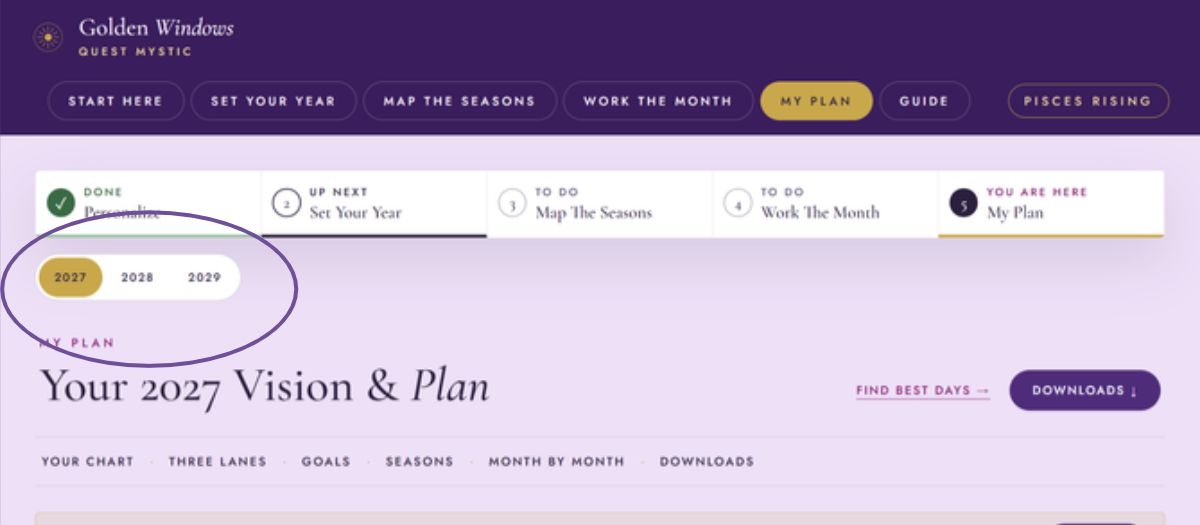
2028 + 2029 year data
Adds the next two years to your planner, so long projects and big launches can be mapped well ahead.
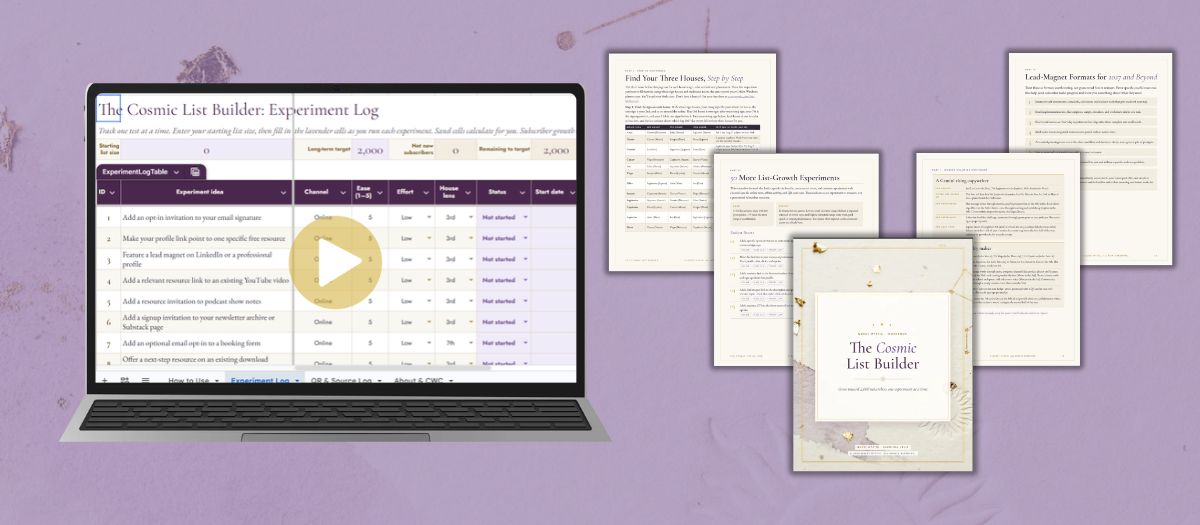
The Cosmic List Builder
Your 3rd, 7th and 11th houses point to the channels worth testing, and your Golden Windows show when to run each experiment.
What if January started with your key dates already picked?
Black Friday prices and free bonuses through Dec 2 at 11:59 pm ET. Future you (the one in January, coffee in hand, dates already picked) says thank you.

Questions
Still wondering what you’ll need, what you’ll get, or how it works for your chart?

How is Golden Windows personalized to me?
The sky sets the windows. Golden windows, review windows and eclipse weeks fall on the same dates for everyone. Your chart decides what they mean for you. When you set up the Planner, you add your rising sign and your planets from your free birth chart. The planner then places every window in your houses, so you see which part of your business it activates and which revenue stream each month favors for you. Best Days goes a step further and finds dates for the goal you pick, like launching, pitching or pricing.
To fine-tune a date, use the Transit Calculator. Pick a planet in the sky, one of your own planets and how close you want the contact to be, and it shows you when that transit is in effect for your chart. Add your planet degrees for the sharpest results; signs alone still work.
In the DIY Year Guide, you apply your rising sign by hand using the workbook's house map and the Google Calendar to map out your optimal times to go, review and create.
Is the DIY Guide version personalized to me?
No. Think of this experience as completely analog. Using the Google Calendar and the guided PDF workbook you will map out what each planet's transit means for your houses and chart, month by month.
What is a review window?
It's a stretch when Mercury, Venus or Mars is retrograde. In 2027 there are three: Jan 10 to Mar 31, Jun 10 to Jul 3, and Oct 7 to 27. A review window is never a reason to freeze. It's your time to refine offers, test new angles, follow up and fix what's leaking, so you're ready when the next golden window opens.
What are the turning points?
They're the 2027 eclipses: Feb 6 and Feb 20, then Aug 2 and Aug 17. Eclipse weeks are turning points, a good moment to open something bold or gracefully close what's done. The planner shows where each one falls in your chart, so you know which part of your business is up for a shift.
I don't know my rising sign.
That's OK, most people don't have it memorized. Every purchase comes with a free birth chart that spells it out for you. You'll need your birth date, time and place.
How much astrology do I need to know?
Very little. If you know your rising sign, or have your free birth chart handy, you're ready. Golden Windows Planner and Plus are planning tools, not an astrology course, so it won't teach you every planet and house in depth. It translates the sky into plain-language business timing, and the supporting materials explain what you need as you go: the workbook, plus the built-in Guide, how-to videos and quick-start guide that come with the Planner.
If you'd love help turning those dates into decisions, like what to launch first or how to pace it around your energy and cash flow, Planner Plus is the one for you. Its Playbook, workbook and Year Coach walk you through those choices step by step.
Does the planner work on my phone?
Yes. The planner runs in your browser on desktop and phone. Your entries are saved in the browser you use, and you can back up your planner to move it to another device.
Do I need a paid AI account to use the AI tools?
Nope! You can use the AI tools with a free account, whether that's Claude or ChatGPT. And the prompts that are shared can be used with any AI.
How long do I have the bonuses?
They're yours to keep. They're only included with purchases made through Dec 2 at 11:59 pm ET.
What about 2028?
Add 2028 and 2029 at checkout for $37 during Black Friday ($57 after). It's available for the Planner and Planner Plus only.
When do I get access?
Right away. After checkout, you’ll get a welcome email with your access and your free birth chart. It’s a one-time payment, so it’s yours to keep, and your 2027 data is ready now, so you can start planning before January.
Can I get a refund?
Because this is a digital product, refunds aren't available. If you can't access your product, please reach out at [email protected] and we'll help you.
I still have questions!
No problem. Send a message to [email protected] and we'll come back to you within 1–2 business days.
January is coming.
Will you be choosing your dates or starting with a plan?
Plan the year before it starts, then let your dates do the remembering. Black Friday prices and bonuses end Dec 2 at 11:59 pm ET.
Get Offer Clarity Check with my plan